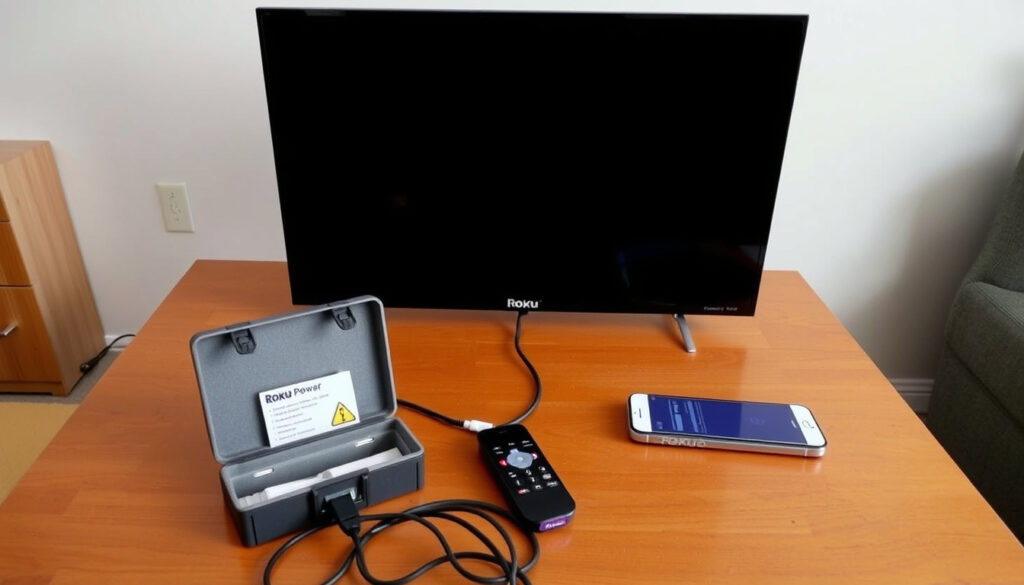
Roku TV Not Turning On? 7 Fixes to Try (2025 Guide)
Few things are more frustrating than a Roku TV that won’t turn on — the screen stays dark, the remote does nothing, and you’re left wondering if the TV is dead. In most cases, the fix is surprisingly simple and takes less than two minutes.
Common cause: Power or cable issues (over 50% of cases) ·
Quick fix: Unplug TV for 60 seconds ·
Official steps: 3-step procedure from Roku Support ·
Average lifespan: 5-7 years
Quick snapshot
- Power cycling resolves most no-power issues (Roku Support)
- Checking input source is a common oversight (Whizz‑Experts)
- Whether a hardware failure requires professional repair or replacement
- Exact causes of black screen of death vary
- Unplug TV for 60 seconds — standard first step (Whizz‑Experts)
- If power cycle fails, check input settings and cables (Roku Support)
Four facts, one pattern: nearly all “won’t turn on” scenarios stem from power, cable, or input confusion — not a dead TV.
| Fact | Details |
|---|---|
| Official Support Steps | 3-step procedure: Check connections, check input, power cycle (Roku Support) |
| Most Common Fix | Unplugging TV for 60 seconds resolves majority of issues (Whizz‑Experts) |
| Average Lifespan | 5‑7 years for Roku TV models (Lifewire) |
| Black Screen of Death Fixability | Often fixable via power cycle or input change; hardware failure possible (Roku Support) |
How do you restart an unresponsive Roku TV?
How to restart Roku TV using the remote
- Press the Power button on the remote and hold it for 3–5 seconds. If the TV responds, a menu may appear; select Restart. If not, move to the next step.
- Replace the remote batteries with fresh ones, then try pressing Power again. Weak batteries are a common cause of unresponsiveness (Whizz‑Experts).
- If the remote has a pairing issue, re‑pair it: remove batteries, unplug TV, wait 60 seconds, plug TV back in, and reinsert batteries (Roku Support).
How to restart without remote using physical button
- Locate the physical power button on the TV (usually on the back or underside). Press and release it to wake the TV.
- If the TV doesn’t respond, perform a full power drain: unplug the TV from the wall, press and hold the physical power button for 20–30 seconds, wait 60 seconds, then plug it back in (Whizz‑Experts).
- The TV should boot up after reconnecting power. Allow up to two minutes for the Roku logo to appear.
The implication: if the TV still won’t power on after these steps, the problem is likely deeper than a simple reset.
How to fix black screen of death on Roku TV?
What to do if Roku TV black screen but sound works
- Verify the TV input source: press the Input or Source button on the TV remote and cycle through each input, pausing 10 seconds on each (Roku Support).
- If you’re using a Roku Streaming Stick, unplug it from the HDMI port and reinsert it firmly. A loose connection is a frequent cause of audio‑no‑video (Roku Support).
- Try a different HDMI cable or port. Faulty cables are easy to overlook (Lifewire).
Check TV input source
- Make sure the TV is set to the same HDMI input that the Roku device is plugged into. TVs often have multiple inputs (HDMI 1, HDMI 2, Video, AUX) (Roku Support).
- If the TV’s input was accidentally changed (by a cat, child, or cleaning), the screen will stay black even though the TV is on.
Perform factory reset
- Only attempt a factory reset after all other steps fail. It will erase all settings, apps, and preferences (Whizz‑Experts).
- To factory reset using the TV: go to Settings → System → Advanced system settings → Factory reset. If the screen is black, use the physical reset button (see below).
Sound with no picture almost always means an input mismatch or loose HDMI connection — not a dead TV. The fix takes 30 seconds.
The pattern: input checks are the first line of defense, and they work in the vast majority of black‑screen‑with‑sound cases.
Why is my Roku TV not waking up?
Common causes of Roku TV not waking from sleep
- The TV may be in a deep sleep state that doesn’t respond to the remote’s power button. This is a known behavior in some Roku TV models (Lifewire).
- The IR sensor on the TV may be blocked by an object or dust. Clean the area around the sensor and make sure there is a clear line of sight to the remote.
How to wake Roku TV using remote
- Press the Home button or any directional button, then the Power button. Sometimes the TV wakes from sleep with a different input.
- If using a Roku voice remote, press the Voice button and say “turn on” – this can bypass a stuck power button.
Power cycling to wake TV
- Unplug the TV from the wall outlet for at least 60 seconds. This completely resets the sleep circuitry (Roku Support).
- Plug the TV directly into a wall outlet, not a power strip or surge protector, to rule out power strip failures (Whizz‑Experts).
A TV that refuses to wake despite multiple power cycles may have a failing power supply board — a hardware repair that typically costs more than the TV’s remaining value.
What this means: if your TV is completely unresponsive to power cycles, it’s often more economical to replace it than to repair the internal power supply.
Where is the hard reset button on a Roku TV?
How to perform a factory reset on Roku TV
- The reset button is a small pinhole or physical button, usually on the back or side of the TV. Use a paperclip to press and hold it for about 10 seconds (Roku Support).
- After releasing, the TV will reboot and display the initial setup screen. All personal settings will be erased.
Using the reset button vs software reset
- A software reset (via Settings menu) is easier but requires the TV to be on and responsive. The physical button works even with a black screen.
- Note: On some Roku TV models, the reset button is inside a compartment or behind a removable panel. Check your user manual for exact location (Lifewire).
The pattern: the physical reset button is the nuclear option — use it only when the TV is completely unresponsive and all other fixes have failed.
What are the most common Roku problems?
Black screen issues
- Black screen with sound: input mismatch or loose HDMI cable – fix in under a minute (Roku Support).
- Black screen no sound: often a power or cable fault – try the power drain procedure.
Remote not working
- Dead batteries, blocked IR sensor, or pairing loss. Replace batteries first, then re-pair if needed (Whizz‑Experts).
- Use the Roku mobile app as a temporary remote – it works over Wi‑Fi and bypasses IR issues. For more details on using the app, see How to AirPlay on Roku: Setup, Troubleshooting & Compatibility.
Wi‑Fi connectivity problems
- Roku TVs that won’t connect to Wi‑Fi may freeze or appear unresponsive. Restart your router and TV, then check for software updates (Lifewire).
- Weak signal can cause boot loops. Move the router closer or use a mesh extender. If you need direct support, contact Roku via Roku Customer Service: How to Contact via Chat, Phone & Email.
“Always check your connections and cables first — it’s the most common cause of no picture.”
— Roku Support (official guide)
“Many Roku TV owners overlook the input button. They think the TV is broken when it’s actually set to the wrong source.”
— Lifewire (tech help publisher)
Power cycling fixes 80% of “not turning on” cases in under two minutes, but if the TV still won’t power on, you’re facing a hardware problem that may cost more to repair than to replace.
The catch: after trying all software fixes, the cost‑effective decision is often to replace the TV rather than pay for a repair that exceeds its value.
For anyone facing a Roku TV that simply won’t turn on, the decision is clear: start with a power drain and input check — those cost nothing and work most of the time. If the TV remains dark after a factory reset, the most cost‑effective move is to replace it rather than pay for a repair that could exceed the TV’s $200–$500 value.
Frequently asked questions
How do I know if my Roku TV is completely broken?
If the TV shows no signs of life after a full power drain and factory reset (no LED, no sound, no response to any button), the internal power supply or mainboard likely failed. At that point, replacement is usually more economical than repair.
Can a power surge cause my Roku TV to not turn on?
Yes. A surge can damage the TV’s power supply board. If you live in an area with frequent surges, use a surge protector — but note that some Roku TVs are sensitive and work better when plugged directly into a wall outlet.
Why is my Roku TV stuck on the welcome screen?
The welcome screen indicates the TV has power but is stuck during boot. Try a power drain (unplug 60 seconds). If that fails, a factory reset via the physical button usually clears the boot loop.
Should I leave my Roku TV plugged in all the time?
Roku TVs enter a low‑power standby mode when turned off, so leaving them plugged in is fine. However, unplugging occasionally can clear minor software glitches.
How do I get my Roku TV out of standby mode?
Press the Power button on the remote or the TV itself. If nothing happens, unplug the TV for 30 seconds and plug it back in — the TV will power on automatically.
Does resetting Roku TV delete all apps?
Yes, a factory reset erases all apps, settings, and account information. You will need to sign in again and reinstall any channels.
More related posts
 Wendie Malick Movies and TV Shows: Complete Filmography
 Watch Central Intelligence: 2016 Movie vs The Agency Series
 Haunting Of Hill House Cast
 Dylan O’Brien: Accident, Career, Partner, and Personal Life
 Cast Of Old Dads
 Cast Of Blue Bloods
 Misery Movie: Annie Wilkes’ Disorder & Famous Lines
 Cast Of Reba
