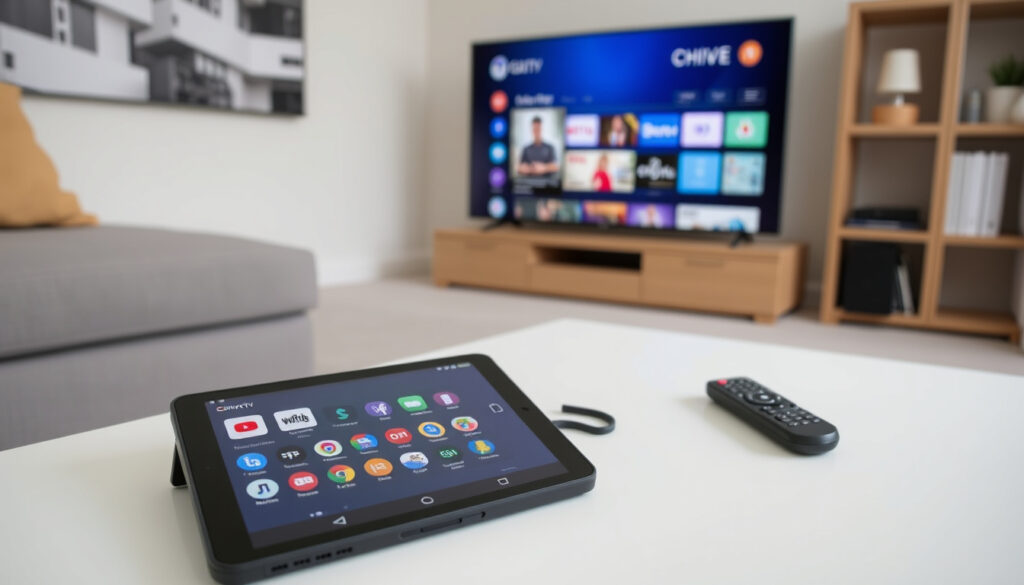
Chive TV: Watch Free at Home — Apps, Devices, and Streaming Guide
Remember when Chive TV was just something you’d see playing at your local bar? It still is — but now you can also watch it at home, for free, without any cable subscription. That change happened when the creators of theCHIVE partnered with Atmosphere TV to bring their viral video channel to streaming devices everywhere.
Cost: Free (ad-supported) ·
Available devices: Smart TVs, streaming sticks, mobile apps, VIZIO WatchFree+ ·
Content type: Curated viral videos and original clips from theCHIVE ·
Primary audience: Businesses (bars, restaurants) and home viewers ·
Rebrand: Integrated into Atmosphere TV platform
Quick snapshot
- Free streaming channel with viral videos (Atmosphere TV official platform)
- Created by theCHIVE (Atmosphere TV official platform)
- Now part of Atmosphere TV platform (Aithority tech news)
- Download Atmosphere TV app (Atmosphere TV official platform)
- Use VIZIO WatchFree+ (Aithority tech news)
- Visit theCHIVE.com (Atmosphere TV official platform)
- Roku, Fire TV, Apple TV (Atmosphere TV official platform)
- Samsung and LG smart TVs (Atmosphere TV official platform)
- iOS and Android mobile devices (Atmosphere TV official platform)
- Jaw-dropping viral clips (CHIVE TV YouTube official channel)
- Mild humor and occasional language (Apple App Store official listing)
- Best for teens and adults (Apple App Store official listing)
Here is a quick summary of the channel’s background and current status.
| Launch year | Around 2015 (as part of theCHIVE) (Atmosphere TV official platform) |
| Current platform | Atmosphere TV (free, ad-supported) (Atmosphere TV official platform) |
| Home access | Yes, via Atmosphere app on smart TVs and streaming sticks (Atmosphere TV official platform) |
| Business availability | Yes, in bars, restaurants, barbershops, bowling alleys (CHIVE TV YouTube official channel) |
| Roku status | Standalone Chive TV channel deactivated; use Atmosphere TV channel (Atmosphere TV official platform) |
| Content ownership | theCHIVE (parent company) (Atmosphere TV official platform) |
The implication: Chive TV remains the same service it was before, but the delivery method has shifted entirely to the Atmosphere ecosystem.
How Can I Watch Chive TV for Free?
Getting Chive TV on your screen costs nothing — no subscription, no login, no hidden fees. The channel runs on ads and is available through several free avenues.
Download the Atmosphere TV app
- Atmosphere TV is a free streaming platform that includes Chive TV as one of its 30+ channels (Atmosphere TV official channels list).
- Available on Roku, Fire TV, Apple TV, Samsung and LG smart TVs, plus iOS and Android (Atmosphere TV official platform).
- No credit card required — just download, open, and start watching.
Atmosphere TV gives home viewers the same library of viral videos that bars and restaurants have been using for years. For anyone who has walked into a tavern and seen Chive TV playing overhead, the transition to the living room is seamless.
Use VIZIO WatchFree+ integrated channel
- Chive TV is available on VIZIO WatchFree+, channel 565 in the DISCOVER category (Aithority tech news).
- No sign-up, no app installation — if you have a VIZIO SmartCast TV, it’s already there.
Stream via theCHIVE website or YouTube
- TheCHIVE.com features a direct video player with recent clips (Atmosphere TV official platform).
- The official YouTube channel “CHIVE TV” hosts curated playlists of viral submissions (CHIVE TV YouTube official channel).
For the full linear TV experience — short clips playing one after another — the Atmosphere app beats browsing YouTube manually. But for picking and choosing specific favorites, theCHIVE website works fine.
The pattern: every method is free, ad-supported, and requires zero cable or satellite subscription. The trade-off is that you’ll see commercials between clips — the same model that powers traditional broadcast television.
How Do You Get Chive TV at Home?
Bringing Chive TV to your living room takes only a few minutes. Here are the three main methods.
Install Atmosphere TV on Roku, Fire TV, or Apple TV
- Go to the app store on your device, search “Atmosphere TV,” and install it (Atmosphere TV official platform).
- Once installed, open the app, select Chive TV from the channel list, and start streaming.
Add Chive TV to your VIZIO WatchFree+ lineup
- If you own a VIZIO SmartCast TV, press the WatchFree+ button on your remote and navigate to channel 565 (Aithority tech news).
- No extra steps — the channel appears automatically.
Cast from the Atmosphere mobile app to your TV
- Download Atmosphere TV on your iOS or Android phone (Atmosphere TV official platform).
- Use the built-in cast feature to send Chive TV to any compatible smart TV or streaming stick.
What Apps Is Chive TV On?
Four primary platforms carry Chive TV, each with slightly different access points.
Atmosphere TV (iOS, Android, Roku, Fire TV, Apple TV, Samsung, LG)
- Atmosphere TV offers apps for all major streaming devices and smart TVs (Atmosphere TV official platform).
- Chive TV is one of over 30 free channels available inside the Atmosphere app (Atmosphere TV official channels list).
VIZIO WatchFree+ (built-in)
- No app download needed; Chive TV is channel 565 in the DISCOVER category (Aithority tech news).
- Available to all VIZIO SmartCast owners at no cost.
theCHIVE.com (web player)
- TheCHIVE website includes a video player that streams recent clips from the catalog (Atmosphere TV official platform).
YouTube (CHIVE TV channel)
- An official YouTube channel posts curated playlists and viral highlight reels (CHIVE TV YouTube official channel).
The standalone Chive TV app that once lived on Roku was deactivated. Anyone who previously had the dedicated app must now use the Atmosphere TV channel instead. That migration has confused some viewers, but the content itself remains identical.
The consequence: users need to learn one new app name — Atmosphere — to find the same clips they watched before.
Is Chive TV Family Friendly?
Chive TV draws from the same viral video library as theCHIVE website, which features “humor, hotness, and humanity” (Apple App Store official listing). The mix includes plenty of safe-for-work clips, but also occasional mild language and suggestive humor.
Content rating and typical clips
- Clips range from cute animal antics and sports bloopers to pranks and comedy sketches.
- No official content rating from theCHIVE or Atmosphere TV; viewer discretion is advised (Atmosphere TV official platform).
Parental control options on Atmosphere TV
- Atmosphere TV does not offer a dedicated children’s filter for Chive TV. General parental controls on your streaming device (e.g., Roku PIN, Apple TV restrictions) can block the channel entirely.
User feedback on appropriateness
- Community discussions on platforms like Reddit suggest the channel is fine for teens but may include content that parents of younger children may want to preview.
Chive TV’s appeal lies in its unfiltered, unpredictable nature — the same reason some clips might surprise a younger viewer. Families who want a strictly G-rated experience may prefer alternatives like Atmosphere TV’s dedicated kid channels.
The implication: parents should preview the channel before letting young children watch unsupervised.
What Is Chive TV Called Now?
Chive TV hasn’t disappeared — it just lives inside a bigger platform. Here’s what happened and what the channel is called today.
Rebranding into Atmosphere TV
- Starting in 2019, theCHIVE partnered with Atmosphere TV to distribute Chive TV as a channel within the Atmosphere platform (Wikipedia free encyclopedia).
- Atmosphere TV is a free ad-supported streaming service originally built for businesses (bars, restaurants, barbershops) and later opened to consumers (Atmosphere TV official platform).
Continued use of Chive TV branding within Atmosphere
- The channel is still branded “Chive TV” inside the Atmosphere app (Atmosphere TV official platform).
- Atmosphere TV now offers over 30 free channels, with Chive TV remaining one of the most popular (Atmosphere TV official channels list).
Status of the channel as of 2025
- The standalone Chive TV app on Roku was deactivated; users must now use the Atmosphere TV channel (Atmosphere TV official platform).
- Chive TV is also available on VIZIO WatchFree+ and Viaway (Aithority tech news) (Viaway streaming aggregation service).
What We Know and What’s Still Unclear
Confirmed facts
- Chive TV is free with ads through Atmosphere TV (Atmosphere TV official platform).
- The standalone Roku channel was deactivated (Atmosphere TV official platform).
- Chive TV is available on VIZIO WatchFree+ (Aithority tech news).
- Atmosphere TV acquired the rights to distribute Chive TV to consumers (Wikipedia free encyclopedia).
What’s unclear
- Exact date when Chive TV was removed from standalone apps on other devices.
- Whether future changes will further integrate or rebrand the channel.
- Official content rating for family-friendliness.
What Viewers Are Saying
“CHIVE TV is packed with the best original, jaw-dropping viral videos from around the world. Get it for free with Atmosphere.” For home viewers, download the Atmosphere app and search for Chive TV, which is still very much alive and free with ads through signalpress.us.
— Atmosphere TV official description
“Atmosphere is a free ad-supported streaming service for businesses and consumers; includes Chive TV.”
— Wikipedia, Atmosphere (service)
“The standalone Chive TV channel was deactivated on my Roku. I had to use Atmosphere TV instead.”
— Reddit user, r/Roku
For both viewers and business owners, the shift from a standalone app to a platform channel has been the biggest change. The implication: the content hasn’t changed, but the way you find it has. If you’re looking for that specific Chive TV channel on Roku, it’s no longer there — but the Atmosphere app brings the same clips, plus more.
Frequently Asked Questions
Does Chive TV cost anything?
No. Chive TV is free with ads through the Atmosphere TV platform and VIZIO WatchFree+. There is no subscription fee or login required (Atmosphere TV official platform).
Can I watch Chive TV on my phone?
Yes. The Atmosphere TV app is available for iOS and Android devices, and includes Chive TV as a channel (Atmosphere TV official platform).
Is Chive TV available on Amazon Fire TV?
Yes. The Atmosphere TV app can be installed on Fire TV devices from the Amazon Appstore (Atmosphere TV official platform).
How is Chive TV different from theCHIVE website?
TheCHIVE.com is a humor blog and community site where users submit photos and videos. Chive TV is a linear streaming channel that curates those same viral clips into a continuous TV-like experience (Atmosphere TV official platform).
Why can’t I find the Chive TV app anymore?
The standalone Chive TV app (especially on Roku) was deactivated. Chive TV now lives inside the Atmosphere TV app, which you can download from your device’s app store (Atmosphere TV official platform).
Does Chive TV have commercials?
Yes. Chive TV is an ad-supported channel, so commercials play between video clips — similar to traditional TV (Atmosphere TV official platform).
Can I watch Chive TV live?
Chive TV is not live in the traditional sense; it’s a linear feed of pre-recorded viral videos that plays 24/7. You can tune in at any time and the playlist runs continuously (Atmosphere TV official platform).
The consequence for viewers: Chive TV remains free and widely accessible, but finding it now requires remembering the Atmosphere TV platform name.
More related posts