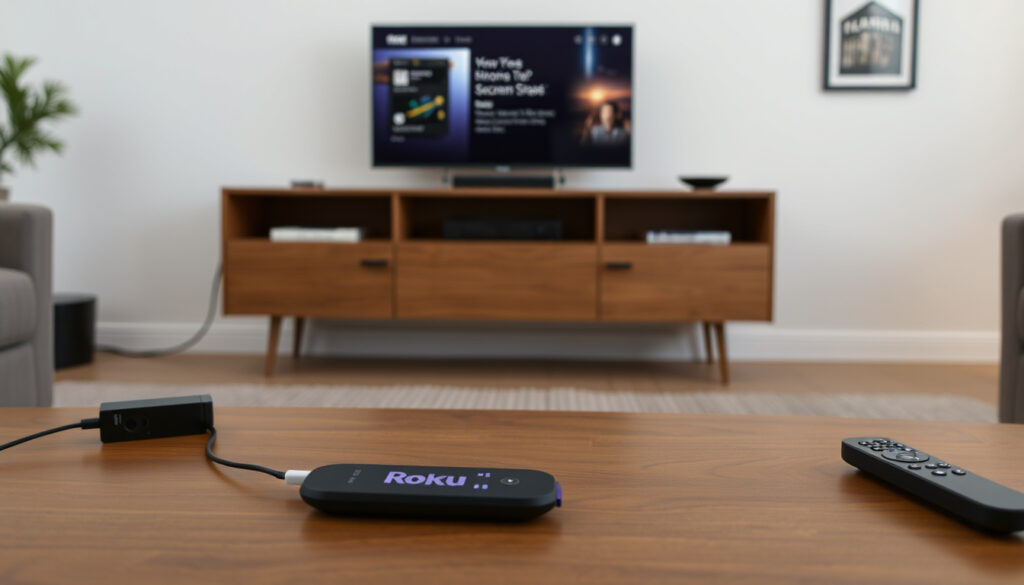
How to AirPlay on Roku: Setup, Troubleshooting & Compatibility
If you’ve ever tried to cast your iPhone screen to a Roku TV and ended up staring at a blank screen, you’re not alone. AirPlay is built right into newer Roku devices, but getting it to work reliably often trips people up. The setup only takes a few minutes once you know where to look, and a few simple checks can save you from frustration. By the end, you’ll know exactly how to AirPlay from any Apple device to your Roku — and what to do when it doesn’t cooperate.
AirPlay support added on Roku: 2019 ·
Minimum Roku OS required: 9.4 ·
Compatible Apple devices: iPhone, iPad, Mac with iOS 12.3+ or macOS 10.14+ ·
Roku models with AirPlay: Roku Ultra, Streaming Stick+, Roku TV (2019+), Roku Express 4K+
Quick snapshot
- Check device compatibility (2019+ models) – Roku Support (official device support)
- Update Roku OS to 9.4 or later – Roku Support (official device support) (Roku Support (official device support))
- Enable AirPlay in Settings → Apple AirPlay and HomeKit – Roku Support (official device support) (Roku Support (official device support))
- Connect Apple device via Screen Mirroring – Roku Support (official device support) (Roku Support (official device support))
- Open Control Center on iPhone – Roku Support (official device support) (YouTube tutorial (video walkthrough))
- Tap Screen Mirroring – YouTube tutorial (video walkthrough)
- Select your Roku from the list – Roku Support (official device support) (YouTube tutorial (video walkthrough))
- Enter the on‑screen code if prompted – Roku Support (official device support) (YouTube tutorial (video walkthrough))
- Ensure both devices are on the same Wi‑Fi network – Roku Support (official device support) (Lifewire (tech help publication))
- Restart Roku, Apple device, and router – Lifewire (tech help publication)
- Update firmware on all devices – Lifewire (tech help publication) (Lifewire (tech help publication))
- Check that AirPlay is enabled in Roku settings – Roku Support (official device support) (Lifewire (tech help publication))
- Supported on Roku Ultra, Streaming Stick+, Roku TV (2019+) – Roku Support (official device support)
- Roku Express 4K+ supports AirPlay; older Express models do not – Roku Support (official device support)
- Minimum Roku OS 9.4 and iOS 12.3 / macOS 10.14 – Roku Support (official device support)
- No separate app required – AirPlay is built into Roku OS – Roku Support (official device support)
Five key facts, one pattern: AirPlay support on Roku hinges on the device’s manufacturing year and OS version, not on any paid upgrade. Here is the breakdown.
| Fact | Value |
|---|---|
| AirPlay introduced on Roku | 2019 |
| Minimum Roku OS | 9.4 |
| First Roku models with AirPlay | Roku Ultra 2019, Roku Streaming Stick+ 2019, Roku TV from 2019 |
| Latest Roku OS (as of 2025) | 13.5+ (AirPlay included) |
| Apple device requirements | iOS 12.3+, iPadOS 13+, macOS 10.14+ |
Many users assume any Roku can AirPlay, but only models from 2019 onward include the necessary hardware and firmware. A Roku Express (non‑4K) from 2018, for example, simply lacks the feature – no software update can fix that.
How Do I Turn On AirPlay with Roku?
Check Roku Model Compatibility
- Roku devices must be 2019 models or newer with Roku OS 9.4+ – Roku Support (official device support)
- Both the Roku and Apple device must be on the same Wi‑Fi network – Roku Support (official device support)
Enable AirPlay in Roku Settings
- Navigate to Settings → Apple AirPlay and HomeKit to toggle AirPlay on – Roku Support (official device support)
- You can choose a code requirement: first time only, every time, or never – YouTube tutorial (video walkthrough)
Connect an iPhone or iPad via Screen Mirroring
- On iOS: Control Center → Screen Mirroring → select Roku device – Roku Support (official device support)
- If a code appears on the TV, enter it on your Apple device to complete the connection – Roku Support (official device support)
The implication: AirPlay activation is straightforward once you know the settings menu exists. Most setup complaints trace back to overlooked network or compatibility requirements.
Can I Mirror My iPhone to Roku?
Using Built-in AirPlay Mirroring
- Yes, AirPlay natively supports screen mirroring from iPhone, iPad, and Mac – Roku Support (official device support)
- Mirroring duplicates your device screen; streaming plays media directly on the TV – Roku Support (official device support)
Using Third‑Party Apps (DoCast, Mirror for Roku)
- Third‑party apps can extend compatibility but may introduce lag – Lifewire (tech help publication)
- These apps are not needed for most modern Roku devices – the built‑in AirPlay covers both mirroring and streaming – Roku Support (official device support)
Difference Between Mirroring and Streaming
- Mirroring sends the entire device display to the TV, useful for apps or slides – Roku Support (official device support)
- Streaming lets you play video or audio directly on the TV while using your phone for other tasks – Roku Support (official device support)
What this means: For most people, built‑in mirroring works perfectly. Third‑party tools only make sense if your Roku model is unsupported or you need a workaround for older firmware.
Mirroring will always consume more bandwidth and may show a slight delay compared to streaming. Fast TV Start mode on Roku reduces the initial handshake time, improving the experience noticeably – YouTube tutorial (video walkthrough).
Why Can’t I AirPlay on My Roku TV Anymore?
Update Roku Firmware and iOS/macOS
- Outdated firmware or iOS version is a common cause – Lifewire (tech help publication)
- Run a system update on Roku, then restart the device – YouTube tutorial (video walkthrough)
Restart Network and Devices
- Restart Roku, router, and Apple device to resolve transient issues – Lifewire (tech help publication)
- Apple Community users report that a network reset (re‑entering Wi‑Fi password) fixed AirPlay failure – Apple Communities (user forum)
Check HDMI-CEC and AirPlay Permissions
- Ensure AirPlay is enabled in Roku Settings → Apple AirPlay and HomeKit – Roku Support (official device support)
- Some HDMI‑CEC settings can interfere with AirPlay discovery – Lifewire (tech help publication)
The pattern: Most recurring AirPlay disconnections stem from a changed network environment – a new router, a password update, or a device that silently dropped off the network. A simple restart cycle often resolves it.
Is There an AirPlay App on Roku TV?
AirPlay is Built‑in, No Separate App Needed
- AirPlay is not a downloadable app; it is integrated into Roku OS – Roku Support (official device support)
- Available under Settings → Apple AirPlay and HomeKit – Roku Support (official device support)
How to Locate AirPlay in Roku Settings
- Go to Settings → Apple AirPlay and HomeKit – the toggle is clearly labeled – Roku Support (official device support)
- If you don’t see that menu item, your Roku model likely does not support AirPlay – Roku Support (official device support)
Which Roku Models Lack AirPlay
- Roku Express (non‑4K) and older Roku models (pre‑2019) do not support AirPlay – Roku Support (official device support)
- Some budget Roku TVs from lesser‑known brands may also lack the feature – check the model year – Lifewire (tech help publication)
The catch: People search for an “AirPlay app” on the Roku Channel Store because they don’t realize the feature is invisible until enabled. If you see the menu, you have it; if you don’t, no app can add it.
How to AirPlay from Mac to Roku TV
Requirements for Mac AirPlay
- Mac must be running macOS 10.14 Mojave or later – Roku Support (official device support)
- Both Mac and Roku must be on the same Wi‑Fi network – Roku Support (official device support)
Step‑by‑Step Mac Screen Mirroring
- Click the AirPlay icon in the menu bar or go to System Preferences → Displays – Roku Support (official device support)
- Select your Roku from the list – the TV will display your Mac screen – Roku Support (official device support)
AirPlay Without Wi‑Fi (via Direct Connection)
- For no‑Wi‑Fi scenarios, use a wired HDMI connection – Apple Communities (user forum)
- Peer‑to‑peer AirPlay works on some Roku models (Roku Ultra 2020+) without a shared router, but requires Bluetooth and Wi‑Fi Direct – Roku Support (official device support)
The trade‑off: Mac users get the smoothest experience on a shared network. Without Wi‑Fi, an HDMI cable is the most reliable fallback, though peer‑to‑peer AirPlay is improving with newer firmware.
AirPlay on Roku: What’s Confirmed and What’s Unclear
Confirmed facts
- AirPlay is built into Roku OS 9.4+ and does not require a separate app. – Roku Support (official device support)
- Both devices must be on the same Wi‑Fi network for AirPlay to work. – Roku Support (official device support)
- Roku devices from 2019 and later support AirPlay. – Roku Support (official device support)
What’s unclear
- Exact list of every Roku TV model with AirPlay – varies by brand and year.
- Why some users experience intermittent AirPlay failures even with supported devices.
- Whether all third‑party screen mirroring apps are safe and reliable.
“To use AirPlay, you need a Roku device that supports AirPlay. Both devices must be connected to the same Wi‑Fi network.”
– Roku Support (official device support)
“After re-entering the Wi‑Fi password, a network reset resolved the AirPlay failure.”
For Roku users who AirPlay daily, the choice is clear: keep your firmware updated and stick to a 5GHz network, or keep an HDMI cable as a fallback. The feature is solid when the basics are right – network, firmware, and model compatibility. Overlooking any one of those turns an elegantly simple feature into a frustrating puzzle.
If your Roku doesn’t support AirPlay, you can still mirror your iPhone to a TV using a compatible adapter or casting device.
Frequently asked questions
Does AirPlay work without an internet connection?
Not in the standard setup – both devices need to be on the same Wi‑Fi network. Some newer Roku models support peer‑to‑peer AirPlay, but that still requires local network hardware (Bluetooth and Wi‑Fi Direct). For a totally offline connection, use HDMI.
Can I AirPlay from my Android phone to Roku?
No – AirPlay is Apple’s proprietary protocol and only works with iOS, iPadOS, and macOS devices. Android users can mirror their screen using Roku’s built‑in screen mirroring (Miracast) or third‑party apps like AirScreen.
How do I update my Roku to get AirPlay?
Go to Settings → System → System Update → Check Now. If your Roku model supports AirPlay and you’re running Roku OS 9.4 or later, AirPlay will appear automatically under Settings → Apple AirPlay and HomeKit.
Does Roku Express support AirPlay?
Only the Roku Express 4K+ model (2020 and later) supports AirPlay. The standard Roku Express (non‑4K) and older versions do not have the necessary hardware.
Is AirPlay the same as screen mirroring?
AirPlay includes both mirroring (duplicates your device screen) and streaming (plays media directly on the TV while you use your device for other tasks). Mirroring is a subset of AirPlay functionality.
Can I use AirPlay with Dolby Vision or HDR on Roku?
Yes – AirPlay on supported Roku devices can pass through Dolby Vision and HDR10 content from compatible Apple devices, provided the TV and app support those formats.
Why does my Roku ask for a code when I try to AirPlay?
That’s a security feature. You can adjust it in Settings → Apple AirPlay and HomeKit → Require Code. Choose “First Time Only” for convenience or “Every Time” for maximum security.
How do I stop an AirPlay session on Roku?
On your Apple device, tap the AirPlay icon and select “Turn Off” or your device again. Alternatively, press the Home button on your Roku remote or use the AirPlay menu on the Roku to disconnect.
More related posts
 Cast Of Smoke (tv Series)
 Cast Of This Fool
 Where to Watch NY Giants vs Dallas Cowboys: TV, Stream, Time
 Cast Of Maid Miniseries
 Cast Of The Menendez Brothers
 Sanus TV Mount Guide: Instructions, Sizes & Full-Motion Models
 Cast Of Squid Game Season 2
 Quicksilver Book 2: Brimstone Release Date and Series Guide
